Brand Identity & Visual System
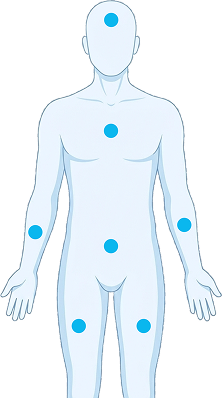
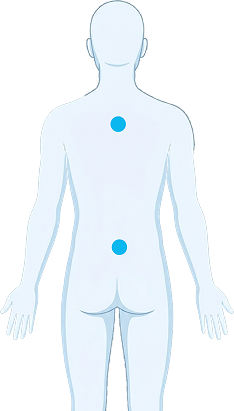
Full visual identity for MediCheck — including custom pain scale icons, anatomical body map illustrations, calm color palette, and a typographic system using Cormorant Garamond and Clash Display Variable.
MediCheck · Healthcare Interface System · UX Design
A concept intelligent hospital kiosk experience built around clarity, speed, and a simplified self-service flow designed for patients of all ages.
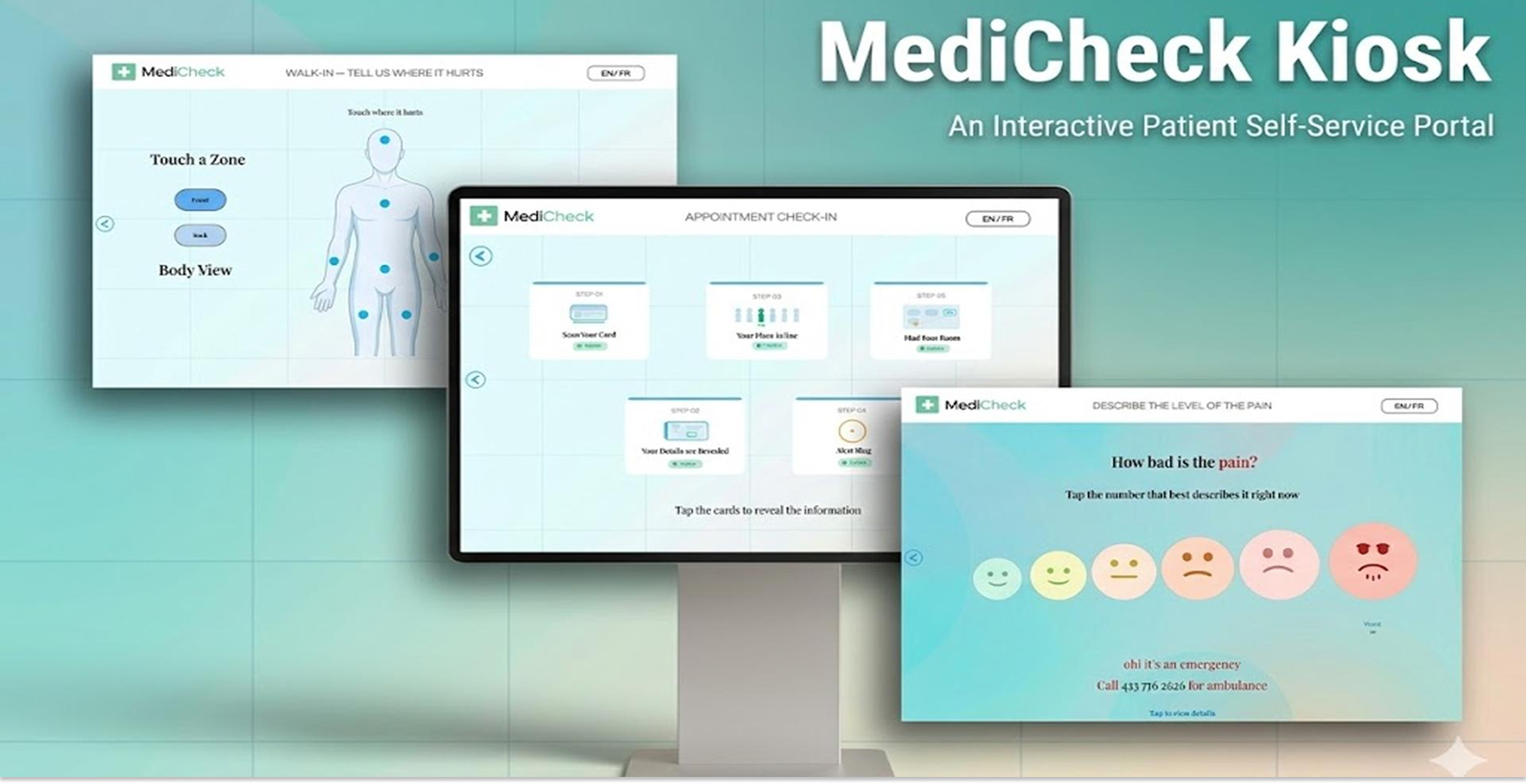
A 24/7 self-service station designed to simplify the hospital visit experience.
Hospitals can be overwhelming, especially for patients who are in pain or unfamiliar with the check-in process. MediCheck Kiosk is an interactive touchscreen application that serves as a 24/7 patient self-service station — enabling patients to select their visit purpose, rate pain visually, pinpoint discomfort on an interactive body map, and trigger emergency alerts for critical pain levels.
As both designer and developer, I created the multi-screen user flow, visual identity, custom backgrounds, pain scale icons, and animated UI — then built the application using HTML, CSS, and JavaScript with GSAP animations, interactive body mapping, and an emergency alert system.
Designing for speed, clarity, and accessibility in clinical environments.
Hospital kiosks operate in high-stress, time-sensitive situations where users may be anxious, unwell, or unfamiliar with digital systems. The challenge was to design an interface that minimizes confusion while enabling fast, independent navigation for essential tasks.
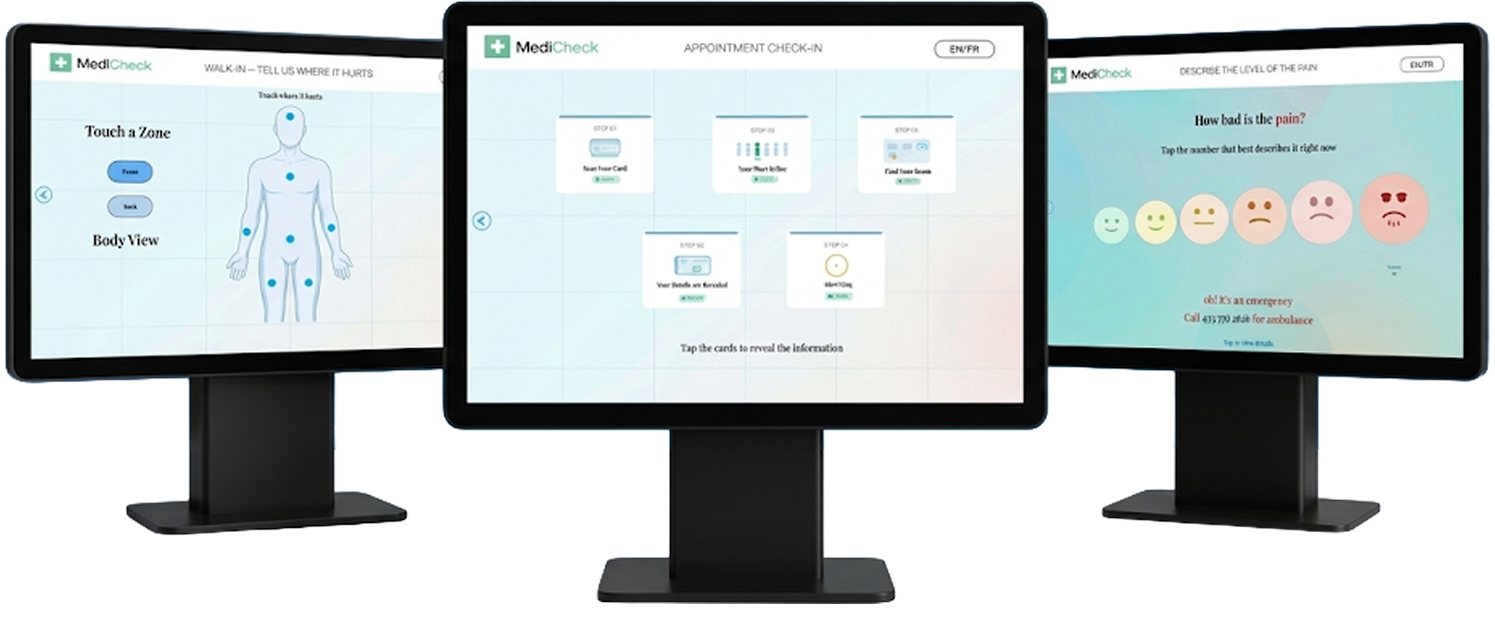
Research, interface design, and full front-end development.
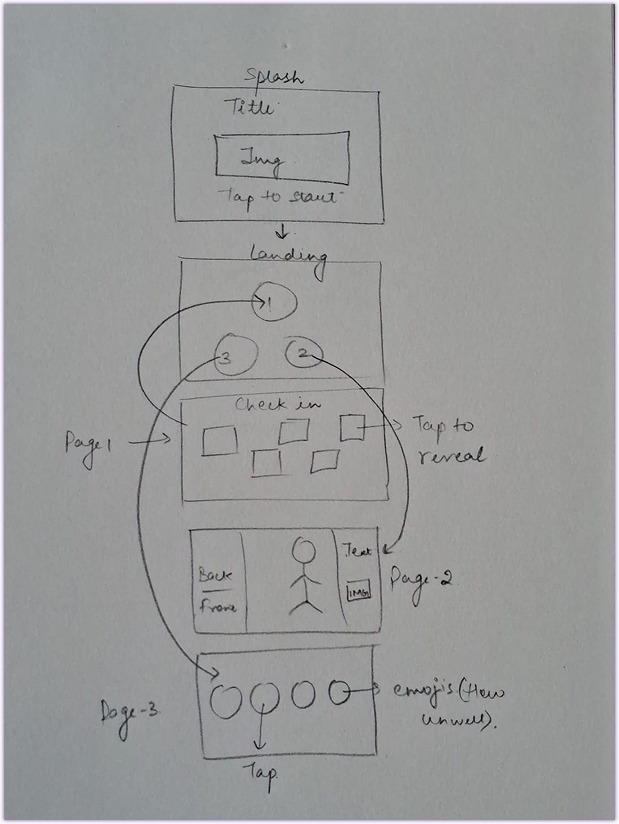
Conducted research into patient hospital experiences and universal design principles, identifying pain points such as long queues, confusion, and staff dependency. Defined the four core kiosk screens: welcome, menu, pain scale, and interactive body map.
Developed wireframes and high-fidelity UI designs balancing accessibility with visual calm. Designed custom pain scale icons, anatomical body illustrations, and a clear typographic system using Cormorant Garamond and Clash Display Variable.
Built the kiosk application using HTML, CSS, and JavaScript with GSAP animations, touchscreen-optimized interactions, an interactive body-mapping system, and an emergency alert trigger for critical pain levels.



What was designed and delivered.
Full visual identity for MediCheck — including custom pain scale icons, anatomical body map illustrations, calm color palette, and a typographic system using Cormorant Garamond and Clash Display Variable.
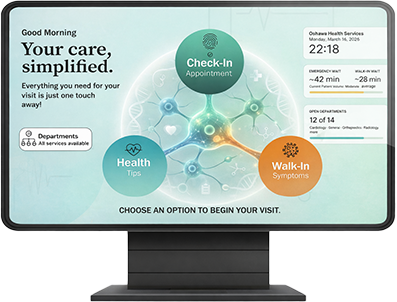
High-fidelity UI for all four kiosk screens — welcome, menu, pain scale, and interactive body map — designed with large touch targets, high-contrast layouts, and clear visual hierarchy for stress-sensitive environments.
A fully functional web-based kiosk built with HTML, CSS, JavaScript, and GSAP — featuring touchscreen-optimized interactions, interactive body mapping, and an emergency alert system for critical pain levels.
A concept validated through real-world usability thinking.
MediCheck demonstrates end-to-end product thinking in a healthcare context — spanning brand identity, UX design, custom illustration, and live front-end development. The result is a calm, accessible kiosk experience with four distinct screens, custom pain scale icons, an interactive body map, and emergency alert logic, all designed to reduce friction for patients in high-stress clinical environments.
View the interactive kiosk prototype — patient check-in flow, department navigation, and symptom guidance system designed for real hospital environments.
View Prototype